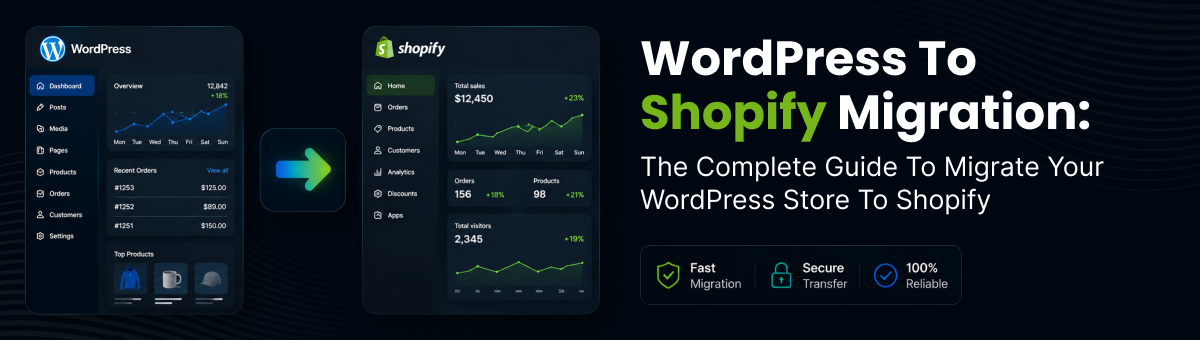
WordPress to Shopify Migration: The Complete Guide to Migrate Your WordPress Store to Shopify
If you're planning a WordPress to Shopify migration, you're making a strategic decision to move your online business to a platform built specifically for ecommerce. While WordPress offers flexibility through themes and plugins, managing hosting, security, plugin updates, and performance can become increasingly complex as your business grows.
Shopify provides an all-in-one hosted ecommerce solution with built-in security, fast performance, reliable hosting, and powerful selling features. Whether you're running a WooCommerce-powered store or another ecommerce plugin on WordPress, making the switch can improve operational efficiency and help you scale your business.
In this guide, you'll learn how to migrate your WordPress store to Shopify safely while preserving your products, customers, SEO, and overall shopping experience.
Why Migrate
Why Migrate from WordPress to Shopify?
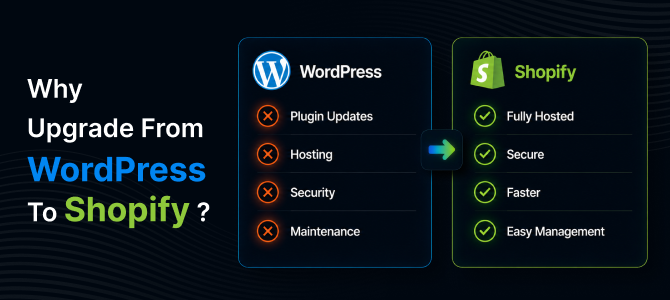
Many businesses begin with WordPress because of its flexibility and low startup costs. However, as traffic, orders, and product catalogs grow, maintaining a WordPress ecommerce website often requires ongoing technical work.
Here are some of the biggest reasons businesses choose Shopify:
- Fully hosted infrastructure
- Faster page loading speeds
- Enterprise-grade security
- PCI-compliant checkout
- Automatic platform updates
- Reliable uptime
- Thousands of ecommerce apps
- Easy inventory and order management
Unlike WordPress, Shopify removes the burden of server management, plugin conflicts, and manual software updates, allowing merchants to focus on growing sales instead of maintaining infrastructure.
What Moves Over
What Can Be Migrated from WordPress to Shopify?
A successful WordPress to Shopify migration involves much more than transferring products.
Using a reliable migration solution, you can migrate:
- Products
- Product categories
- Customers
- Order history
- Product images
- Product variants
- Blog posts
- Website pages
- Reviews
- SEO metadata
- URL redirects
Shopify recommends reviewing your existing store before migration and deciding which data should be transferred, making migration an ideal opportunity to remove outdated products and content.
Migration Steps
How to Migrate Your WordPress Store to Shopify
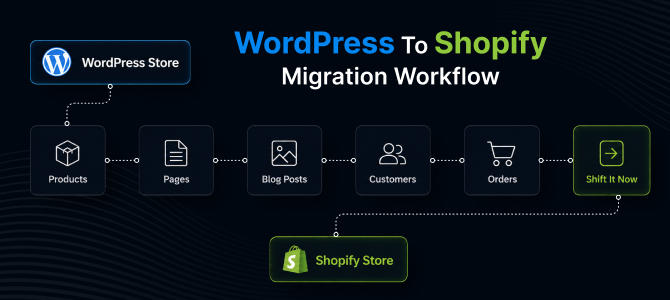
Step 1: Audit Your Existing Store
Before beginning the migration, review your existing WordPress website.
Identify:
- Active products
- Categories
- Customer accounts
- Blog posts
- Landing pages
- Custom URLs
- SEO metadata
Cleaning outdated content before migration makes your new Shopify store more organized and easier to manage.
Step 2: Create Your Shopify Store
Sign up for Shopify and configure your store by setting up:
- Store information
- Payment gateways
- Shipping settings
- Tax configuration
- Currency
- Theme selection
Having your Shopify store ready before importing data ensures a smoother migration process.
Step 3: Transfer Your Store Data
The fastest way to migrate your WordPress store to Shopify is by using an automated migration tool instead of manually exporting and importing CSV files.
An automated Shopify migration tool can securely transfer:
- Products
- Customers
- Orders
- Images
- Blog content
- Collections
- Reviews
This significantly reduces manual effort and minimizes the risk of missing important store data.
Step 4: Verify Your Imported Data
After the migration is complete, carefully review every section of your Shopify store.
Check:
- Product descriptions
- Product images
- Pricing
- Inventory
- Product variants
- Customer records
- Orders
- Blog posts
- Navigation menus
Testing your imported data before launching helps prevent customer-facing issues.
Step 5: Preserve Your SEO Rankings
One of the biggest concerns when businesses migrate a WordPress website to Shopify is maintaining organic search visibility.
To protect your SEO:
- Create 301 redirects from old URLs to new Shopify URLs
- Preserve page titles and meta descriptions where possible
- Submit your updated XML sitemap to Google Search Console
- Update internal links
- Monitor crawl errors after launch
Some temporary ranking fluctuations are normal after a migration, but proper redirects and SEO planning help preserve long-term organic traffic.
Common Challenges
Common Challenges During WordPress to Shopify Migration
Without proper planning, businesses may encounter:
- Missing product images
- Broken URLs
- Duplicate pages
- Lost SEO metadata
- Missing customer information
- Blog formatting issues
- Navigation errors
Using an automated migration platform dramatically reduces these risks while saving valuable time.
Why Shift It Now
Why Use Shift It Now?
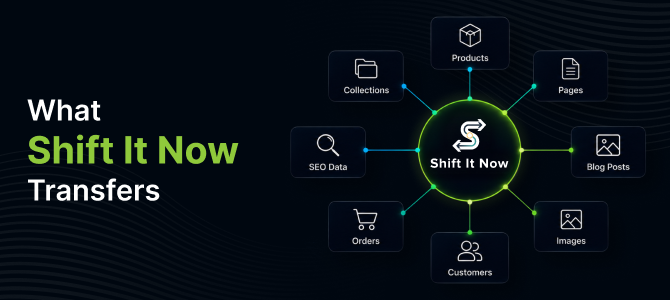
Migrating an ecommerce business manually can take days or even weeks, especially if you have hundreds or thousands of products.
Shift It Now automates the migration process, allowing you to move your WordPress store to Shopify quickly and securely.
With Shift It Now, you can migrate:
- Products
- Customers
- Orders
- Collections
- Images
- Blog posts
- Reviews
- SEO data
Our migration solution minimizes downtime, reduces manual work, and ensures your data is transferred accurately so you can launch your Shopify store with confidence.
Whether you're running a small ecommerce business or a large online store, Shift It Now makes WordPress to Shopify migration simple, reliable, and stress-free.
Final Thoughts
Final Thoughts
A successful WordPress to Shopify migration is more than simply transferring products. It requires careful planning, data validation, SEO preservation, and thorough testing before launch.
By choosing the right migration tool and following best practices, you can migrate your WordPress store to Shopify without disrupting your customers or sacrificing your search rankings.
If you're ready to simplify store management, improve website performance, and scale your ecommerce business, Shift It Now provides the fast, secure, and hassle-free migration solution you need.
Frequently Asked Questions (FAQs)
1. How long does it take to migrate a WordPress store to Shopify?
Migration time depends on the size of your store. Smaller stores may take only a few minutes, while larger stores with thousands of products and customers can take several hours.
2. Will I lose my SEO when migrating from WordPress to Shopify?
No, if the migration is handled correctly. Setting up 301 redirects, preserving metadata, and submitting your new sitemap helps maintain your SEO rankings.
3. Can I migrate blog posts from WordPress to Shopify?
Yes. Shift It Now allows you to transfer blog posts, pages, and media files along with your ecommerce data.
4. Can I migrate customers and order history?
Yes. Products, customers, orders, collections, reviews, and images can all be migrated to Shopify using Shift It Now automated migration solution.
5. Do I need coding knowledge?
No. Shift It Now automates the process, allowing non-technical users to migrate their stores without writing code.
6. Why should I use Shift It Now?
Shift It Now provides a secure, automated migration experience that transfers products, customers, orders, blog content, and SEO data while minimizing downtime and reducing manual work.
Ready to Migrate Your WordPress Store?
Take the stress out of migration with Shift It Now.
Why Choose Shift It Now?
- ✔ Automated WordPress to Shopify migration
- ✔ Products, customers, orders, and blog posts transferred
- ✔ SEO-friendly migration with 301 redirects
- ✔ Fast, secure, and reliable process
- ✔ No coding required
- ✔ Minimal downtime
Start your WordPress to Shopify migration today and launch your new Shopify store with confidence.