WooCommerce to Shopify Migration: The Complete Guide for a Seamless Store Transfer
If you're planning a WooCommerce to Shopify migration, you're making a strategic move toward a more scalable, secure, and user-friendly ecommerce platform. While WooCommerce offers flexibility, managing hosting, plugins, security updates, and performance optimization can quickly become time-consuming as your business grows.
Shopify eliminates much of that complexity by providing a fully hosted ecommerce solution with built-in security, reliable performance, and an extensive app ecosystem. The key to a successful migration, however, is ensuring that your products, customers, orders, and SEO data are transferred without errors or downtime.
This guide explains everything you need to know before you migrate WooCommerce to Shopify successfully.
Why Migrate
Why Migrate from WooCommerce to Shopify?
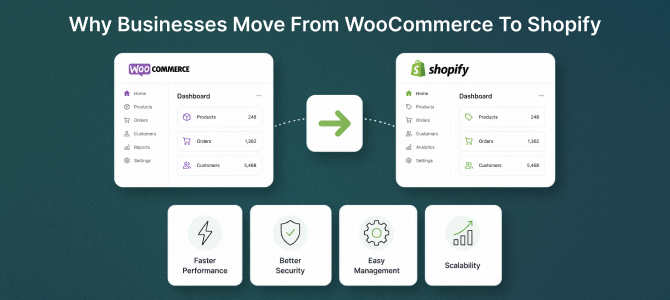
Many growing ecommerce businesses eventually outgrow WooCommerce because maintaining a self-hosted store requires ongoing technical management. Shopify simplifies store management while offering enterprise-grade infrastructure.
Some of the biggest advantages include:
- Faster website performance
- Automatic security updates
- PCI-compliant checkout
- Better scalability during traffic spikes
- Easier inventory management
- Thousands of Shopify apps and integrations
- Reliable hosting with minimal maintenance
For store owners who want to focus on growing sales rather than managing technical issues, WooCommerce to Shopify migration is often the smartest long-term investment.
What Moves Over
What Data Can Be Migrated?
A complete Shopify store migration should include much more than products.
With the right migration tool, you can transfer:
- Products and product variants
- Categories and collections
- Customers
- Order history
- Product images
- Product reviews
- Coupons
- Blog content
- SEO metadata
- URLs and redirects
Migrating all essential store data ensures your new Shopify store is ready for launch without requiring manual work afterward. Shopify also recommends planning the migration carefully and preserving SEO elements such as redirects and metadata to minimize ranking disruption.
Migration Steps
Steps for a Successful WooCommerce to Shopify Migration
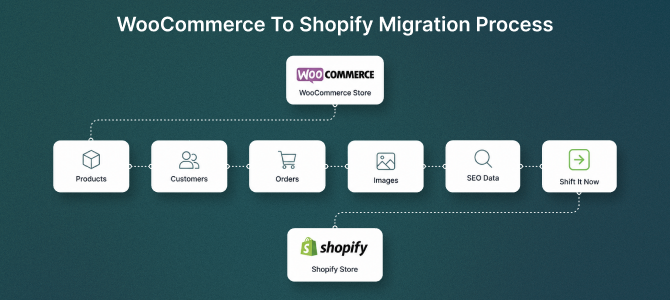
1. Backup Your WooCommerce Store
Before making any changes, create a complete backup of your website, including:
- Database
- Product data
- Customer information
- Media files
- Orders
A backup ensures you can recover your store if needed.
2. Set Up Your Shopify Store
Create your Shopify account and configure:
- Store settings
- Payment gateways
- Shipping rules
- Taxes
- Currency
- Theme selection
Preparing your Shopify store before migration helps reduce launch delays.
3. Transfer Your Store Data
The easiest way to transfer WooCommerce to Shopify is by using a dedicated migration app instead of manually importing CSV files.
A quality Shopify migration app automatically transfers products, customers, orders, images, and other important data while reducing the chances of errors.
Automation also saves hours of manual work for stores with large product catalogs.
4. Verify the Imported Data
Once the migration is complete, review your new Shopify store carefully.
Check:
- Product titles
- Product descriptions
- Prices
- Images
- Variants
- Inventory
- Customer accounts
- Order history
Any missing or incorrect data should be fixed before launch.
5. Preserve Your SEO
One of the biggest concerns during WooCommerce migration is losing organic traffic.
Fortunately, SEO can be preserved with proper planning.
Make sure you:
- Set up 301 redirects
- Keep page titles and meta descriptions consistent
- Maintain important product URLs where possible
- Submit the new XML sitemap
- Update internal links
- Verify Google Search Console
Proper redirects and minimal URL changes are among the most important steps for protecting rankings after a platform migration.
Common Challenges
Common WooCommerce to Shopify Migration Challenges
Even a straightforward migration can present challenges if not handled properly.
Some common issues include:
- Missing product variants
- Broken images
- Lost customer passwords
- Incorrect URL redirects
- Missing product reviews
- Duplicate products
- SEO ranking fluctuations
Using a reliable WooCommerce to Shopify migration tool significantly reduces these risks while ensuring a smoother transition.
Why Shift It Now
Why Use Shift It Now?
Migrating an ecommerce store manually can take days or even weeks, especially for stores with thousands of products.
Shift It Now simplifies the entire process by automating your migration while protecting your valuable store data.
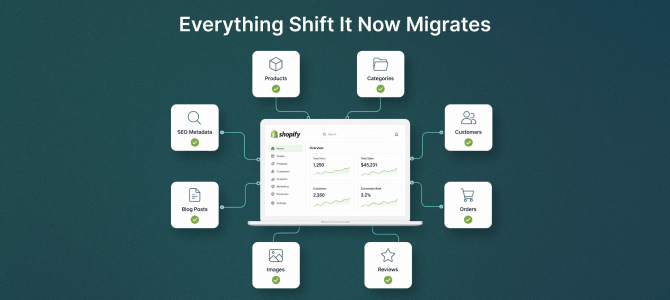
With Shift It Now, you can migrate:
- Products
- Customers
- Orders
- Collections
- Images
- Reviews
- SEO data
The migration process is fast, secure, and designed to minimize downtime, allowing you to launch your Shopify store with confidence.
Whether you're running a small online shop or a large ecommerce business, Shift It Now makes WooCommerce to Shopify migration simple, reliable, and stress-free.
Final Thoughts
Final Thoughts
A successful WooCommerce to Shopify migration is about more than moving data - it's about creating a faster, more scalable online store without sacrificing your existing SEO or customer experience.
By planning the migration carefully, validating every step, and using a trusted Shopify migration tool, you can transfer your store safely while maintaining business continuity.
If you're ready to migrate WooCommerce to Shopify, Shift It Now provides an efficient, secure, and hassle-free migration solution that helps you move your ecommerce business with confidence and focus on what matters most - growing your sales.
Frequently Asked Questions (FAQs)
1. How long does a WooCommerce to Shopify migration take?
The migration time depends on your store size and the amount of data being transferred. Small stores can often be migrated within minutes, while larger stores with thousands of products, customers, and orders may take several hours. Using an automated migration tool significantly speeds up the process compared to manual migration.
2. Will I lose my SEO rankings after migrating to Shopify?
Not if the migration is planned correctly. By implementing 301 redirects, preserving metadata, maintaining your site structure where possible, and submitting your updated sitemap to Google Search Console, you can minimize any temporary ranking fluctuations and retain most of your organic traffic.
3. Can I migrate products, customers, and orders from WooCommerce to Shopify?
Yes. A complete WooCommerce to Shopify migration includes products, categories, customers, orders, product images, product variants, reviews, coupons, and SEO-related data. Using a dedicated migration app like Shift It Now ensures all critical information is transferred accurately.
4. Can I continue selling while my migration is running?
Yes. Most automated migration tools like Shift It Now allow you to keep your WooCommerce store live during the migration process, ensuring there is minimal disruption to your business operations.
5. Do I need coding knowledge to migrate from WooCommerce to Shopify?
No. Modern migration tools like Shift It Now are designed for non-technical users. The migration process is largely automated, allowing you to transfer your store without writing code or manually importing data.
6. Why should I use Shift It Now for WooCommerce to Shopify migration?
Shift It Now automates the migration process while securely transferring products, customers, orders, images, collections, and SEO data. It helps reduce manual work, minimizes migration errors, and allows you to launch your Shopify store quickly with minimal downtime.
Ready to Migrate Your WooCommerce Store?
Moving your ecommerce business to Shopify doesn't have to be complicated. Whether you're migrating a small online store or thousands of products, Shift It Now helps you transfer your data safely, accurately, and with minimal downtime.
Why Choose Shift It Now?
- ✔ Automated WooCommerce to Shopify migration
- ✔ Products, customers, orders, and images transferred
- ✔ SEO-friendly migration with URL redirects
- ✔ Fast, secure, and reliable process
- ✔ No coding required
- ✔ Minimal business interruption
Start your WooCommerce to Shopify migration today and launch your new Shopify store with confidence.