How to Migrate Customer Accounts to Shopify (Including Passwords)
Migrating customer accounts to Shopify? Here's what actually transfers, why passwords can't, and how Shopify's 2026 passwordless login changes everything.
Short answer: your customer records - names, emails, addresses, order history - can migrate to Shopify completely. Passwords themselves cannot, and that's true on every platform, not just Shopify. But there's a bigger update worth knowing before you worry too much about it: as of February 2026, Shopify itself stopped using passwords for new stores entirely, replacing them with a one-time email code at login. That actually makes migrating customer accounts to Shopify simpler than it used to be, not harder. Here's what really happens to your customer data during a migration, and what to do about it.
What Actually Migrates When You Move Customer Accounts to Shopify
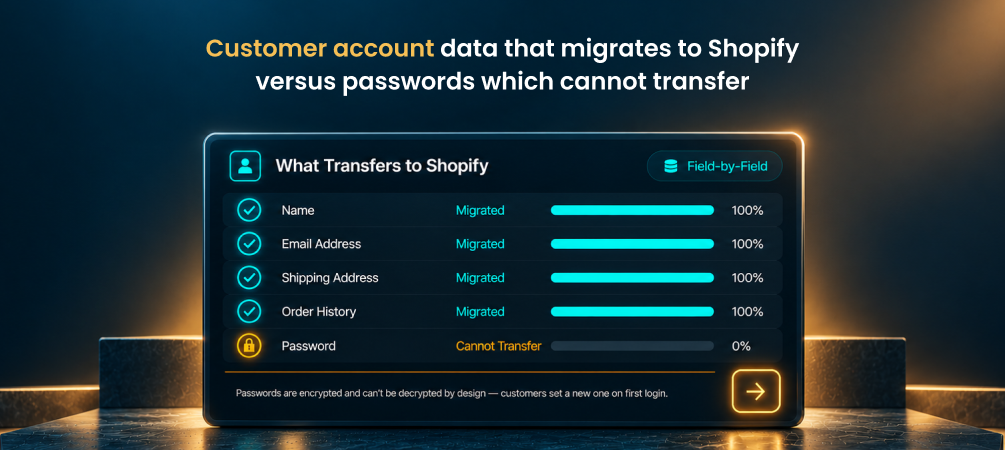
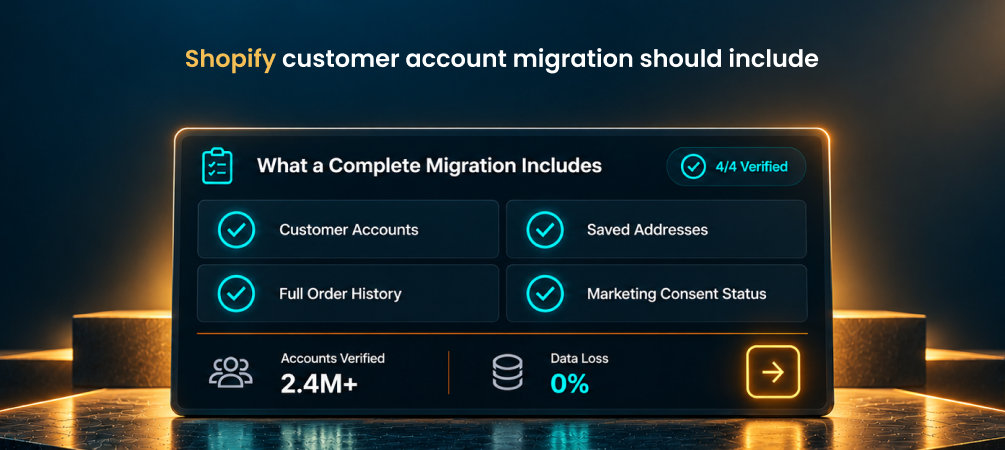
A proper customer account migration should carry across names, email addresses, phone numbers, shipping and billing addresses, order history, marketing consent/opt-in status, and any customer tags or segments you've built up. This is the data that actually matters for running your business - order history for support requests, addresses for repeat purchases, consent status so you stay compliant with email marketing. None of it depends on the password, which is the part people worry about most and matters the least in practice.
👉 See exactly what customer data migrates with ShiftItNow before you commit to a plan.
Why Passwords Themselves Can Never Be Migrated
This isn't a Shopify limitation - it's true everywhere. Passwords are stored as one-way hashes, not as readable text, specifically so that even the platform itself can't see or export them. There's no technical process, migration tool, or workaround that reverses a password hash back into something transferable. Any tool claiming to "migrate" passwords directly either isn't telling you the whole story or is talking about something else entirely, like session tokens.
The Bigger Change: Shopify Doesn't Use Passwords for New Stores Anymore
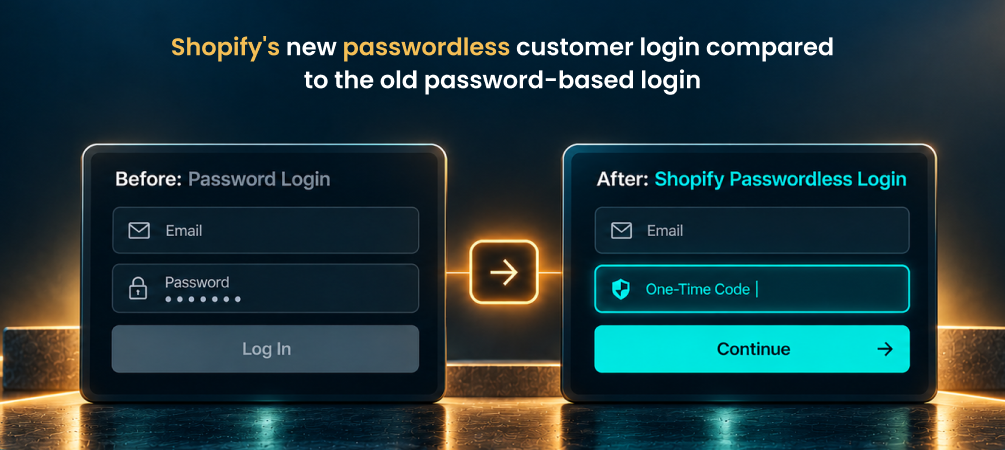
Here's the part that changes the whole conversation. In February 2026, Shopify officially deprecated its old email-and-password login system for customer accounts. New stores can no longer even enable password-based accounts - every new Shopify store runs on the newer system, where customers log in by entering their email and a one-time six-digit code sent to their inbox. No password to create, remember, or reset. Stores still running the older system continue to work for now, but Shopify has stopped updating it and has confirmed a final shutdown date is coming later in 2026, so building anything new on it isn't worth the risk at this point.
👉 Run a free demo migration with ShiftItNow and see your customer accounts mapped before you launch.
What This Actually Means for Your Migration
Since login now runs entirely on email rather than a password, the accuracy of your customer email addresses during migration matters more than it used to - that email is effectively the login credential now. It's also worth telling returning customers ahead of launch that they'll see a code-based sign-in instead of a password field, so it doesn't read as a mistake when they don't recognize the screen. If you specifically need a traditional email-and-password experience preserved - some B2B storefronts prefer it - that's still possible through a third-party authentication app layered on top, but it's no longer Shopify's default, so it needs to be planned for rather than assumed.
👉 Talk to a migration expert about your specific customer account setup before migrating.
Why Most Migration Tools Handle Customer Data Poorly
A lot of migration tools treat customer accounts as an afterthought - they'll happily move your product catalog and leave customer records as a manual export-and-clean-up job you're expected to handle separately. That's backwards, since customer data is often more valuable than the product listings themselves. A complete migration tool should move customer accounts, addresses, order history, and marketing consent status in the same pass as your products - not as a second project you start after the "migration" is technically done.
👉 Migrate customers, orders, and products together instead of piecing it together after launch.
Customer Account Migration Checklist
- Confirm every customer email address is accurate and deliverable before migrating
- Migrate marketing consent/opt-in status, not just contact details, to stay compliant
- Decide upfront whether you're on Shopify's new passwordless accounts or need password login preserved via a third-party app
- Tell existing customers ahead of launch that sign-in will use an email code instead of a password
- Test the full account login and order-history view yourself before opening the store to customers
For more on what else can go wrong during a move, see our guide on common Shopify migration mistakes, and if you're weighing a manual approach, here's the real cost of migrating with a CSV export instead of a dedicated tool.
FAQ: Migrating Customer Accounts to Shopify
Can I migrate customer passwords to Shopify?
No - passwords are stored as irreversible hashes on every platform, including Shopify, so there's no way to transfer them directly. This is true regardless of which migration tool you use.
Will my customers need to reset their passwords after migrating?
If you're on Shopify's current default system, customers won't use a password at all - they'll sign in with their email and a one-time code, so there's no password to reset in the first place.
Does Shopify still use passwords for customer accounts?
Not for new stores. As of February 2026, Shopify deprecated password-based login for new customer accounts in favor of email-based one-time codes. Existing stores on the older system still function for now but are no longer being updated.
What happens to customers on Shopify's legacy accounts system?
Existing customer data carries over when you upgrade from the legacy system to the current one - only the sign-in method changes, from a password to an email code.
Will my customers lose their order history when I migrate?
Not if the migration is done properly. Order history should migrate alongside customer accounts as part of a complete migration, not get left behind as a separate step.
Can I keep email + password login on Shopify if I want to?
Yes, through a third-party authentication app layered on top of Shopify's current system - it's no longer the built-in default, so it needs to be set up intentionally rather than assumed.
Migrating customer accounts to Shopify was never really about transferring passwords - it's about carrying over the data that actually matters, and Shopify's own move to passwordless login has made the part merchants worried about most largely irrelevant.
👉 Install ShiftItNow from the Shopify App Store and migrate your full customer base, not just your products. No card required.