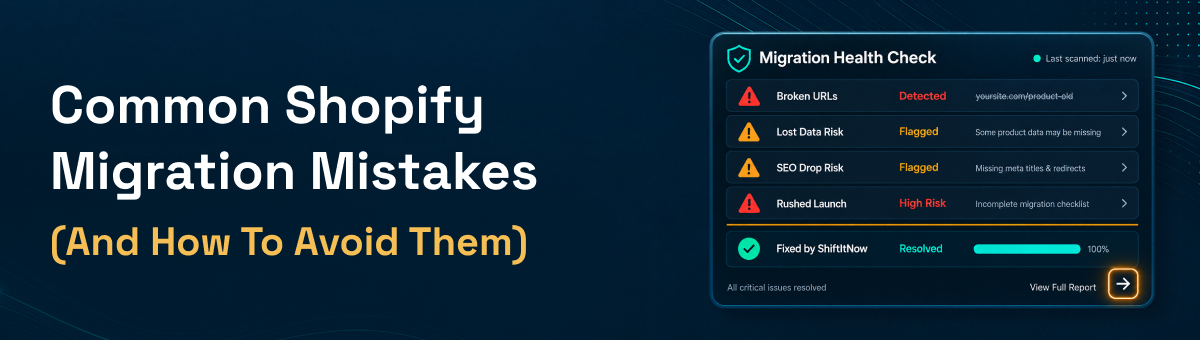
Common Shopify Migration Mistakes (and How to Avoid Them)
Every year, thousands of merchants move their stores to Shopify from Wix, BigCommerce, Squarespace, WooCommerce, and half a dozen other platforms — and a lot of them make the same handful of Shopify migration mistakes along the way. Most aren't dramatic failures; they're small oversights that quietly cost weeks of lost SEO rankings, missing customer records, or a checkout flow that breaks on launch day. The good news: nearly every one of these mistakes is avoidable once you know where migrations actually go wrong. Here are the most common Shopify migration errors merchants run into, and exactly how to avoid each one.
Mistake #1: Skipping SEO Redirects
This is the single most damaging — and most common — Shopify migration mistake. When product, collection, and blog URLs change and old links aren't redirected, Google treats every one of those pages as gone. Rankings you spent years building can reset to zero within days. The fix is straightforward: every old URL needs a 301 redirect to its new Shopify equivalent, and your meta titles, descriptions, and image alt text need to migrate along with the content — not just the products themselves.
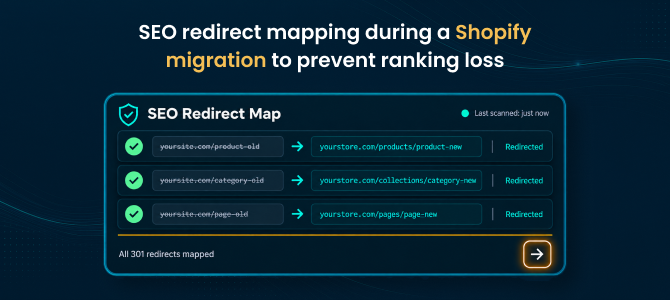
See how ShiftItNow handles SEO-safe migrations with automatic redirects built in.
Mistake #2: Treating It as a "Products Only" Migration
This is where a lot of merchants get burned. Most migration tools only move product listings, then leave customers, order history, coupons, and content pages behind for you to rebuild by hand — which turns a "quick migration" into weeks of manual data entry. A complete Shopify store migration should carry across customer accounts, full order history, blog posts, and pages in the same pass as your product catalog, not as a separate cleanup project after the fact.
Run a free demo migration with ShiftItNow to see your full store — not just products — mapped before you commit.
Mistake #3: Assuming Customer Passwords Will Transfer
No platform — including Shopify — allows customer passwords to migrate directly, because they're encrypted in ways that can't be reversed or transferred between systems. Merchants who don't plan for this end up fielding a flood of "I can't log in" support tickets right after launch. The fix is simple: set expectations ahead of time and trigger a password reset email for existing customers as part of your launch communication, rather than treating it as a post-launch surprise.
Mistake #4: Skipping a Preview or Demo Migration
Committing to a full migration without previewing it first is one of the riskier Shopify migration mistakes, because you don't find out something mapped incorrectly — variants, categories, custom fields — until it's already live. A short demo migration on a slice of your catalog catches formatting issues while they're still cheap and easy to fix, instead of after your full 5,000-SKU catalog has already moved.
Mistake #5: Migrating During Peak Sales Season
Scheduling a full store migration during Black Friday week or your biggest promotional push is asking for trouble. Even a clean migration involves a short window of final syncing and DNS switching, and if anything needs a second look, you want room to fix it without losing sales. Pick a lower-traffic week, and if possible, run your old and new stores in parallel until you're confident everything checks out.
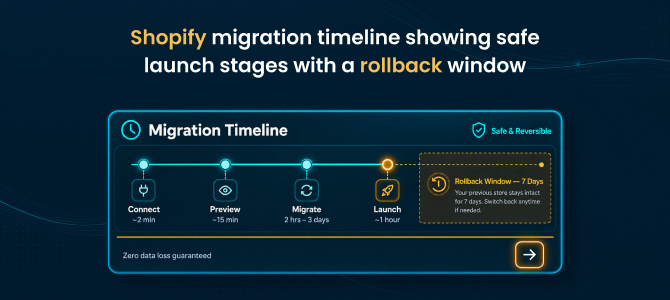
Talk to a migration expert about the best timing for your store before you schedule anything.
Mistake #6: Forgetting App and Plugin Equivalents
Whatever platform you're coming from, some of your current functionality — reviews, subscriptions, loyalty points, custom checkout logic — was likely powered by a plugin or app that doesn't exist on Shopify in the exact same form. Merchants who don't map these to Shopify equivalents before launch often discover the gap only when a customer complains that a feature is missing. Audit your current app stack before migration day, not after.
Mistake #7: Not Testing the Full Checkout Flow Before Launch
Data can migrate perfectly and a store can still fail on day one if nobody actually tested the buying experience end to end — payment gateways, shipping rates, tax settings, discount codes, and the mobile checkout flow specifically. This is one of the easiest Shopify migration mistakes to avoid and one of the most common to skip simply because everyone's focused on the data migration itself.
Mistake #8: Having No Rollback Plan
Even a well-executed migration can surface an issue after launch — a missing redirect, a miscategorized product batch, a sync error. Merchants who migrate with no way to revert are stuck troubleshooting live, in front of customers. A safety net — a defined rollback window where you can undo the migration if something looks wrong — turns a potential crisis into a minor delay.
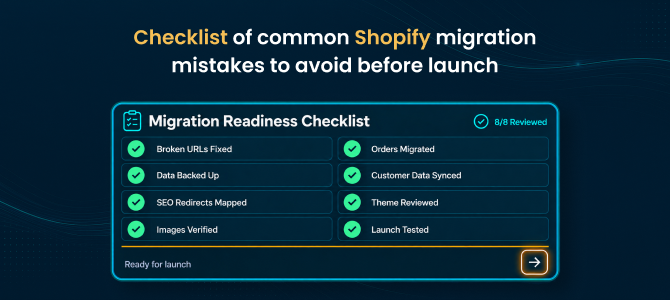
Migrate with a 7-day rollback safety net instead of hoping nothing goes wrong.
If you're migrating from a specific platform, the details differ enough that it's worth reading the platform-specific guide: see our guides for migrating Wix to Shopify, BigCommerce to Shopify, or Squarespace to Shopify.
FAQ: Shopify Migration Mistakes
What's the single biggest Shopify migration mistake merchants make?
Skipping SEO redirects. Without 301 redirects mapping old URLs to new ones, search rankings built up over years can reset almost overnight.
Will my customers' passwords carry over during migration?
No — this is true across every ecommerce platform, not just Shopify. Passwords are encrypted in a way that can't be transferred, so plan on triggering a password reset email as part of your launch communication.
Do most migration tools transfer everything automatically?
Not usually. Most migration tools only move product listings and leave customers, orders, and content pages for you to migrate manually. A complete migration tool should move your full store — products, customers, orders, blog content, and pages — in one pass.
Should I migrate during a sale or holiday season?
No. Migrating during peak traffic periods increases risk if anything needs troubleshooting. Pick a lower-traffic window and, if possible, keep your old store running in parallel until you've confirmed everything works.
How long should I test before fully launching on Shopify?
At minimum, run a demo migration on a sample of your catalog and fully test checkout, shipping, tax, and discount codes before pointing your domain at the new store. A few hours of testing can save weeks of post-launch cleanup.
What should I do if something goes wrong after migration?
Have a rollback plan in place before you migrate, not after. A defined rollback window lets you revert quickly if a redirect, sync, or data issue surfaces post-launch, rather than troubleshooting live in front of customers.
Most Shopify migration mistakes come down to the same root cause: treating migration as a simple copy-paste job instead of a full data and SEO transition. Avoid that trap, and moving your store to Shopify can be a smooth, days-long process instead of a weeks-long cleanup project.
Install ShiftItNow from the Shopify App Store and run a free demo migration before committing to anything. No card required.