
 Install on Shopify
Shopify vs Squarespace: Which Wins for Ecommerce?
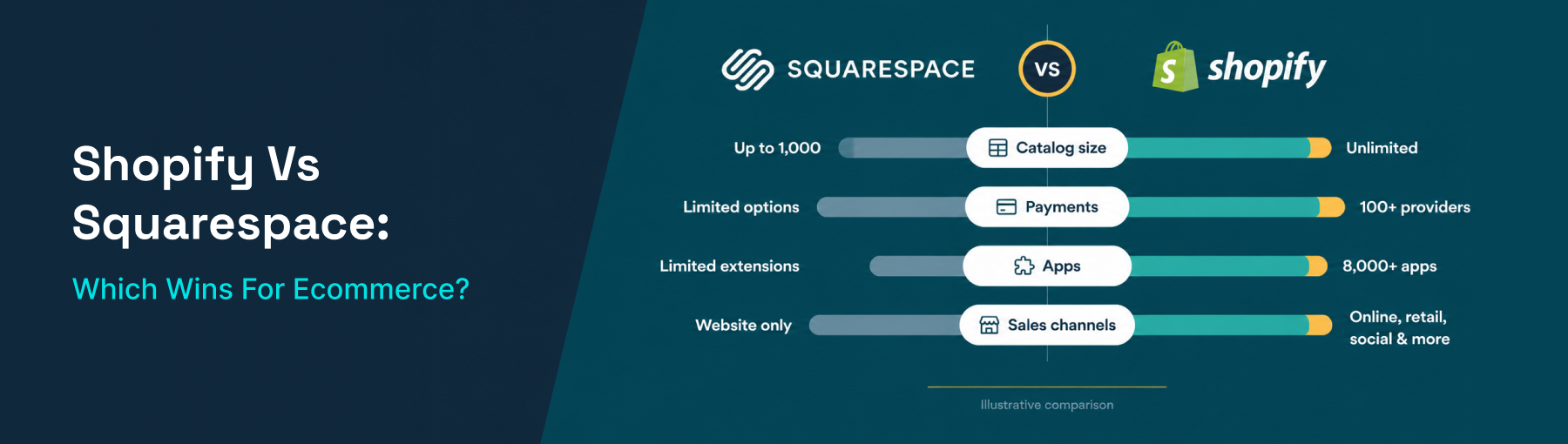
Shopify vs Squarespace for ecommerce: compare catalog limits, payments, apps, and international selling, plus how to migrate to Shopify when you outgrow Squarespace.
Shopify vs Squarespace comes down to what you're building. Short answer: Shopify wins for ecommerce stores built to grow, while Squarespace wins for design-led sites with small, curated catalogs. If selling products is the core of your business, Shopify's catalog capacity, payment options, and app ecosystem give it a clear edge. If your shop is a side of a portfolio or service business, Squarespace can be the better fit. Below we compare both, show the signs you've outgrown Squarespace, and explain how an ecommerce platform migration to Shopify works when it's time to move.
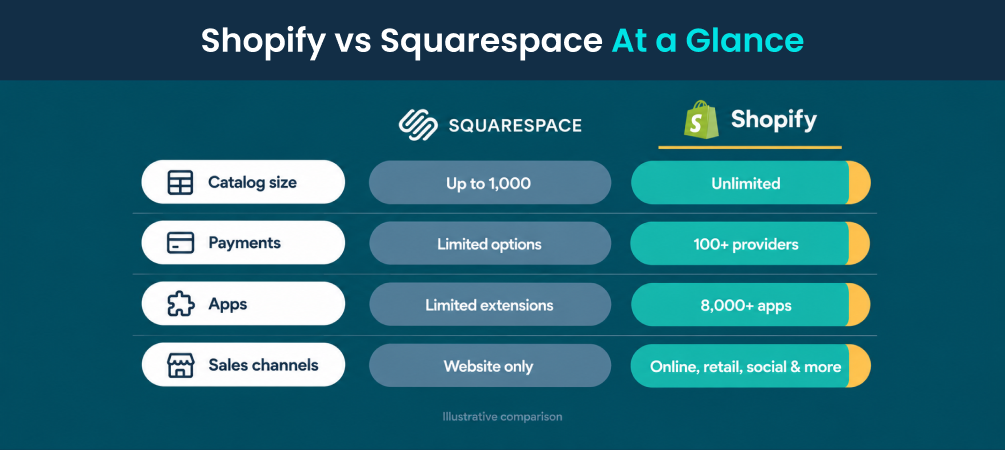
Shopify vs Squarespace at a Glance
| Area | Shopify | Squarespace |
|---|---|---|
| Product catalog | No product cap | Commonly cited at about 10,000 products and 250 variants per product |
| Payments | 100+ providers, plus Shopify Payments and Shop Pay | A handful of processors |
| Apps | Thousands of apps | A few dozen extensions |
| Selling channels | Marketplaces and social channels | More limited |
| Best for | Product-focused stores that plan to scale | Design-led brands with small catalogs |
Where Shopify Wins for Ecommerce
Catalog capacity. Shopify has no cap on product count. Squarespace's documented limits are far lower, and growing stores tend to reach them sooner than expected.
Payments and checkout. Shopify connects to more than 100 payment providers, which matters when you sell in new regions or need a specific gateway.
Apps and sales channels. Subscriptions, reviews, loyalty, and marketplace selling are a few clicks away through the Shopify App Store.
Operations. Multi-location inventory and a built-in point-of-sale system support stores that sell in more than one place.
International selling. Squarespace added multi-currency checkout in a 2026 update, though it leaves out subscriptions and digital products. Shopify Markets goes further, managing currency, languages, domains, and pricing by market.
👉 See how ShiftItNow moves a Squarespace store to Shopify before you decide whether to switch.
Where Squarespace Still Wins
Squarespace is excellent for brand-first sites. Its templates are polished, the editor is simple, and it blends content, bookings, and a small shop in one place. If you sell a few dozen products, ship low volumes, and treat design as your main differentiator, you may never need more.
Which Should You Choose?
Choose Shopify if:
- Selling products is your main business
- You expect your catalog, orders, or markets to grow
- You want marketplace, subscription, or advanced inventory options
Choose Squarespace if:
- Your brand and design matter more than commerce depth
- You sell a small, curated range
- Your shop supports a service or content business
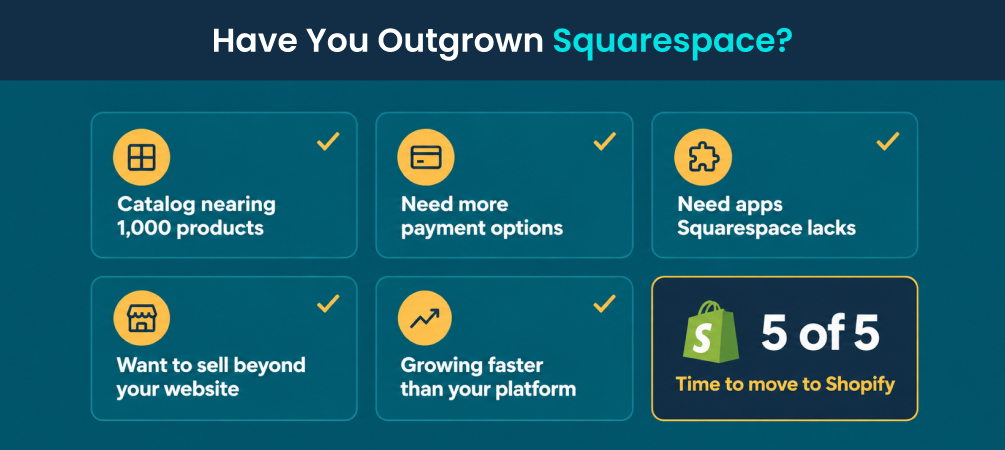
Signs You've Outgrown Squarespace
- You're approaching product or variant limits
- Customers ask for payment methods you can't offer
- You want to sell on marketplaces or run advanced inventory
- Your marketing needs apps that Squarespace doesn't have
- You're expanding into new countries
What Migration to Shopify Involves
A Shopify store migration from Squarespace moves your data, not your design. A proper Shopify data migration carries products and variants, images, customer accounts, orders, blog posts, and pages. Your design gets rebuilt in a Shopify theme, a good chance to modernize it, and customers sign in with an emailed code instead of a password.
The Shopify migration process runs in four stages: connect your store, preview a demo migration, run the full migration while your store stays live, then launch with a final sync and domain switch. Every old URL also needs a 301 redirect to protect your SEO. Any ecommerce migration is only as good as the data it carries across, so check what moves before you commit. Most stores finish the transfer within hours to a few days, as we explain in how long a Shopify migration takes. Our Squarespace to Shopify migration guide covers each step, and what happens to your design explains the theme side.
👉 Run a demo migration with ShiftItNow and preview your Squarespace data on Shopify.
Why Most Migration Tools Fall Short
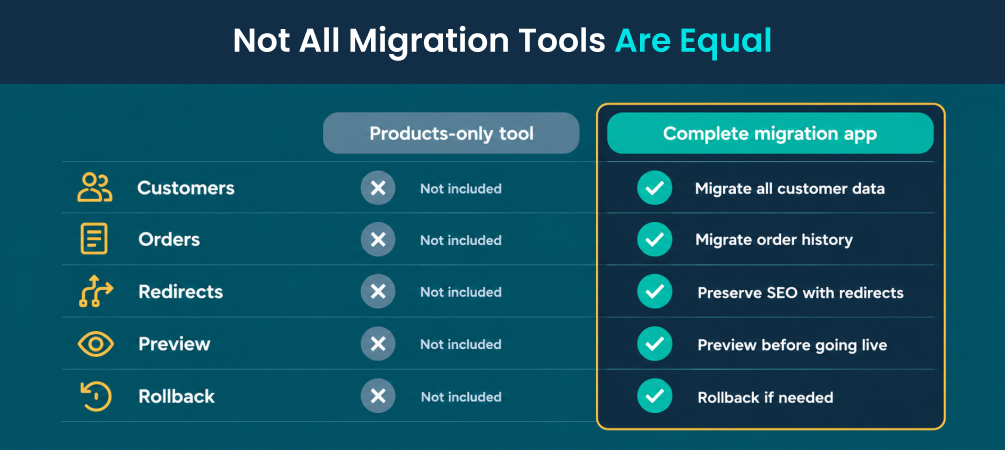
Most migration tools only transfer products. Customer accounts, order history, and redirects are left for you to rebuild, which turns ecommerce data migration into weeks of cleanup. Instead, choose a Shopify migration app built to move the whole store.
ShiftItNow is a Shopify store migration app that supports Squarespace, Wix, BigCommerce, WooCommerce, and more. It runs a preview first, moves customers, orders, and content along with products, builds 301 redirects, keeps your old store live, and gives you a 7-day rollback window.
Prefer hands-on help? Shopify migration services and Shopify migration experts can handle custom storefronts. Agencies offering ecommerce store migration services or broader ecommerce platform migration services suit unusual setups, though they often cost more and take longer than an app-led move. Shopify migration pricing generally scales with catalog size, so get a quote based on your real product, order, and customer counts.
👉 See current ShiftItNow plans or talk to a migration expert about your catalog size and timeline.
Shopify Migration FAQ: Shopify vs Squarespace
Is Shopify better than Squarespace for ecommerce?
For product-focused stores that plan to grow, yes. Squarespace suits design-led brands with small catalogs.
Can I migrate to Shopify without losing SEO?
Yes, when every old URL gets its own 301 redirect and your titles, descriptions, and alt text are carried across.
What data moves in a Squarespace to Shopify migration?
Products, variants, images, customers, orders, blog posts, and pages. Design does not transfer, and passwords cannot move between platforms.
How long does a Shopify store migration take?
The data transfer typically takes a couple of hours to three days, and the full project one to three weeks including theme setup and testing.
Do most migration tools move everything?
No. Most migration tools stop at products, so confirm yours also covers customers, orders, redirects, and rollback.
Shopify vs Squarespace is not about which platform is better in general. It is about which one fits your catalog, your markets, and your plans. When the answer is Shopify, the right migration tool keeps the move low risk.
👉 Install ShiftItNow from the Shopify App Store and migrate your full store, not just your products.